
Warning!!! In standalone controllers, torque is not transmitted correctly via canbus and the internal torque calculation in the TCU must be correctly calibrated
TCU configuration #
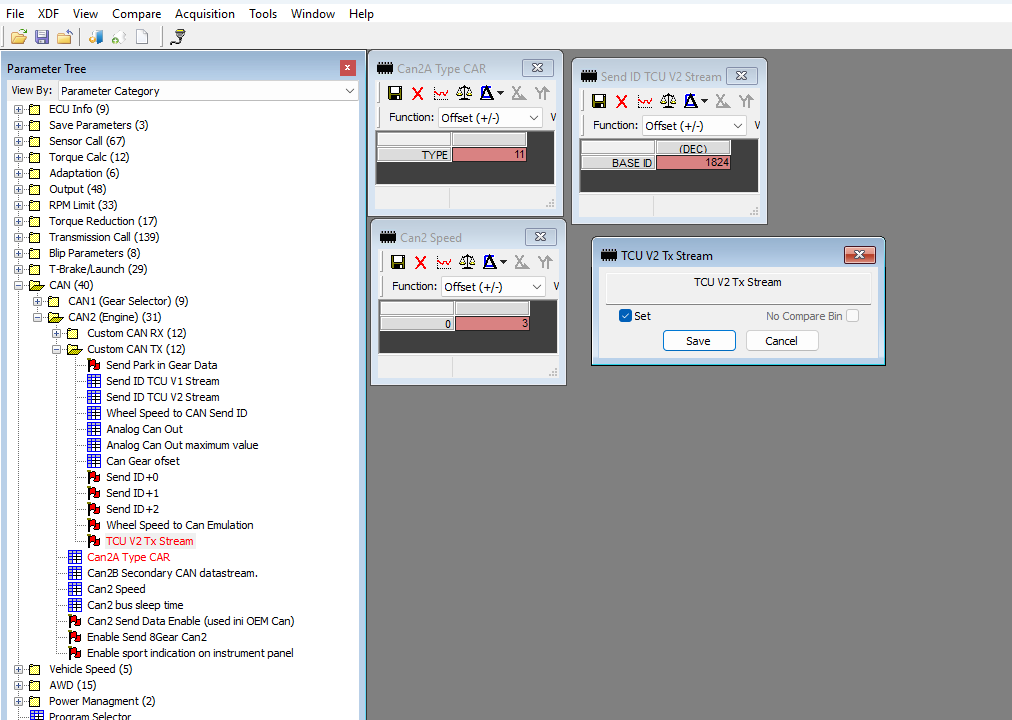
After activate holley stream in TCU, then TCU stream always 16 parameters to Holley. This 16 parameters is not configurable in TCU:
| Parameter | CAN ID | CAN channel | Frequency | UNIT |
| TCU G. Oil Temp | 1824 | Input 1 | 50 Hz | Celsius |
| TCU Gear | 1824 | Input 2 | 50 Hz | Gear |
| TCU TQ Reduction | 1824 | Input 3 | 50 Hz | % |
| TCU Program | 1824 | Input 4 | 50 Hz | Program |
| TCU Vehicle Speed | 1824 | Input 5 | 50 Hz | KM/h |
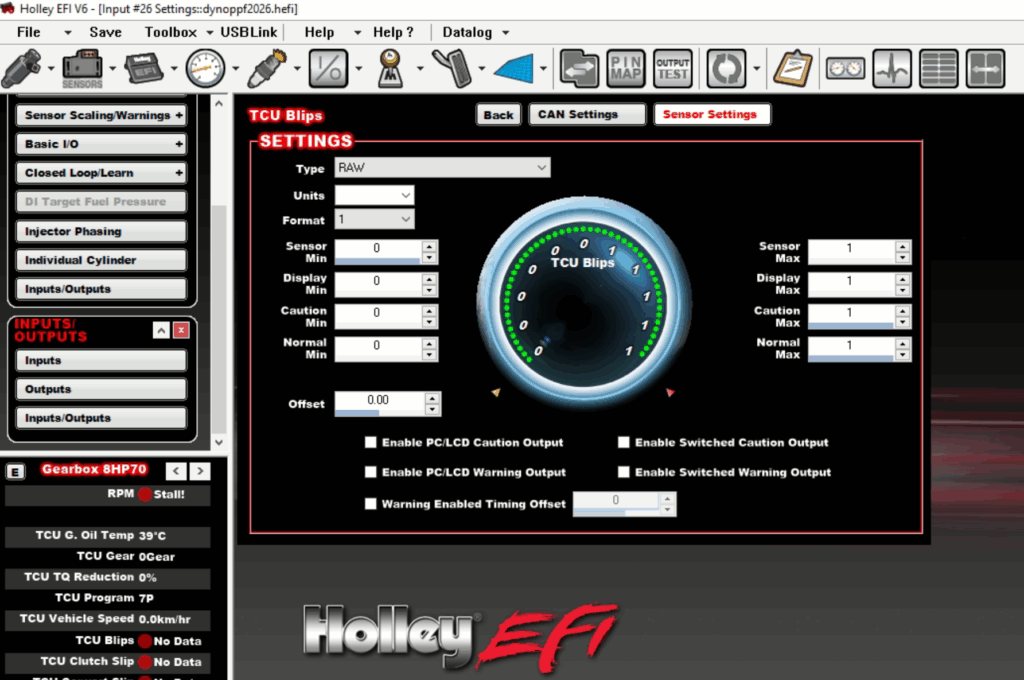
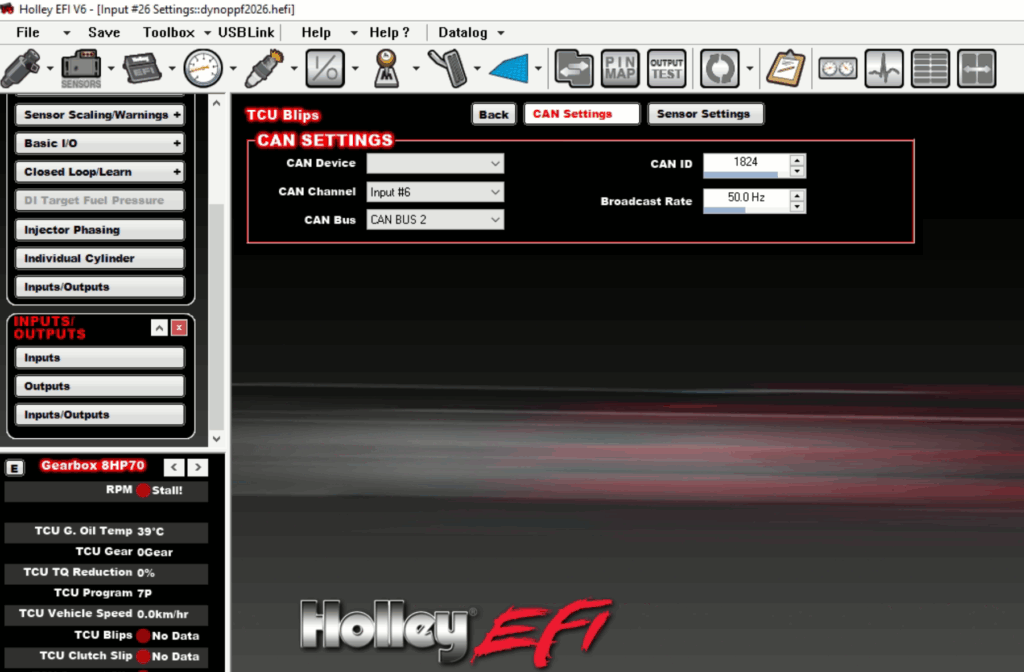
| TCU Blips | 1824 | Input 6 | 50 Hz | Flag |
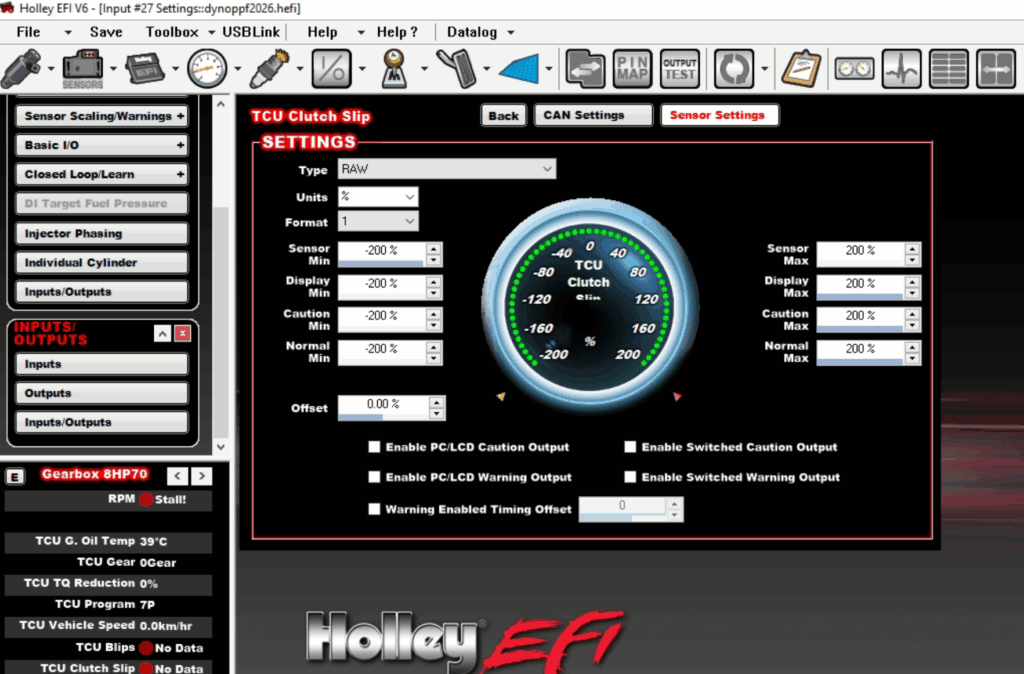
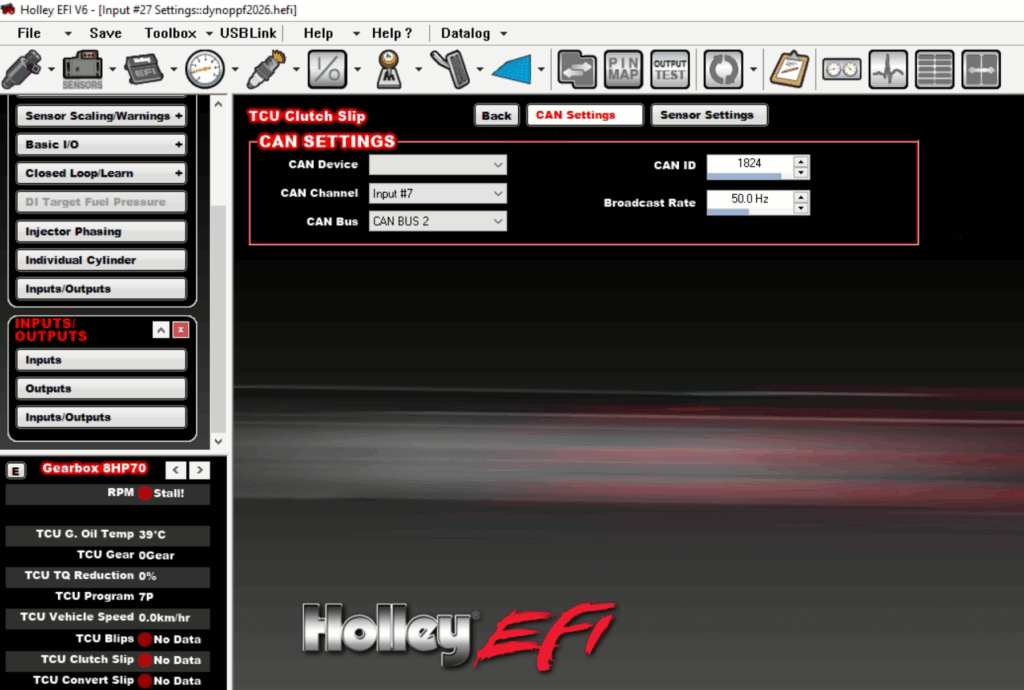
| TCU Clutch Slip | 1824 | Input 7 | 50 Hz | % |
| TCU Convert Slip | 1824 | Input 8 | 50 Hz | % |
| TCU Engine TQ | 1825 | Input 1 | 50 Hz | NM |
| TCU Input RPM | 1825 | Input 2 | 50 Hz | RPM |
| TCU Lockup Pres. | 1825 | Input 3 | 50 Hz | % |
| TCU Error Code | 1825 | Input 4 | 50 Hz | number |
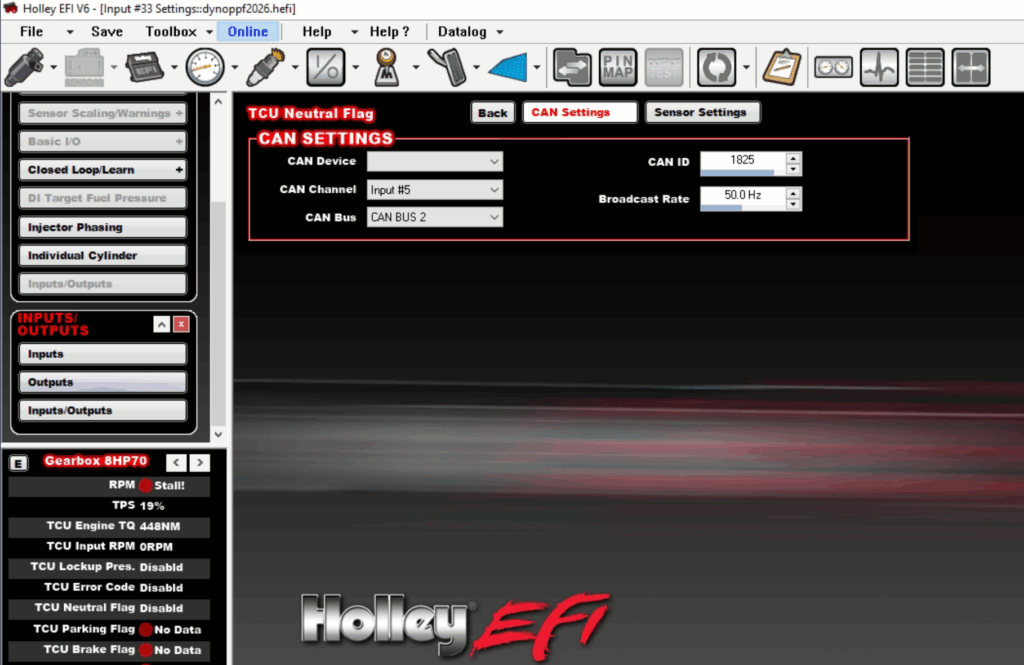
| TCU Neutral Flag | 1825 | Input 5 | 50 Hz | Flag |
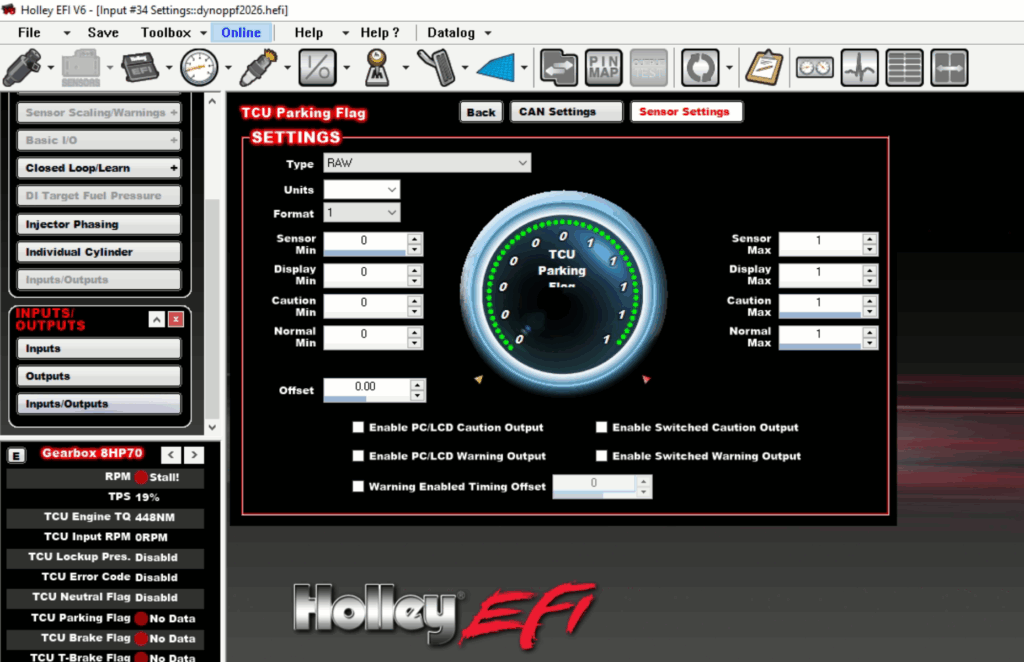
| TCU Parking Flag | 1825 | Input 6 | 50 Hz | Flag |
| TCU Brake Flag | 1825 | Input 7 | 50 Hz | Flag |
| TCU T-Brake Flag | 1825 | Input 8 | 50 Hz | Flag |
Holley configuration: #
***the manual shows the use of can bus 2 in holley.
Configuration receiving can-bus data from TCU:
1.import first I/O settings to Holley

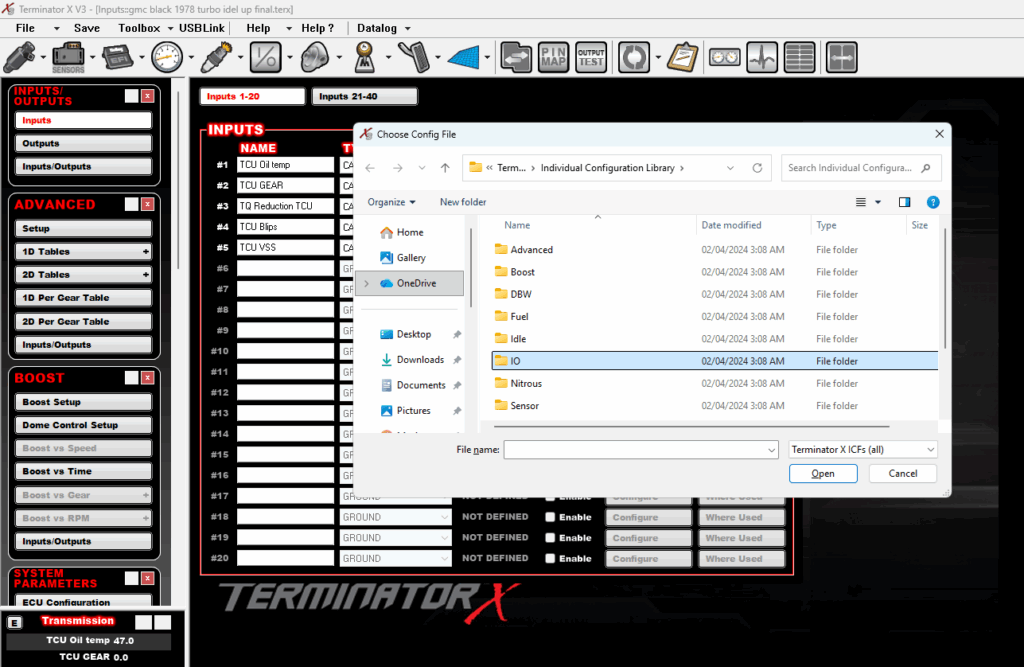

2. Configuration of inputs:
2.1 set name for parameters:
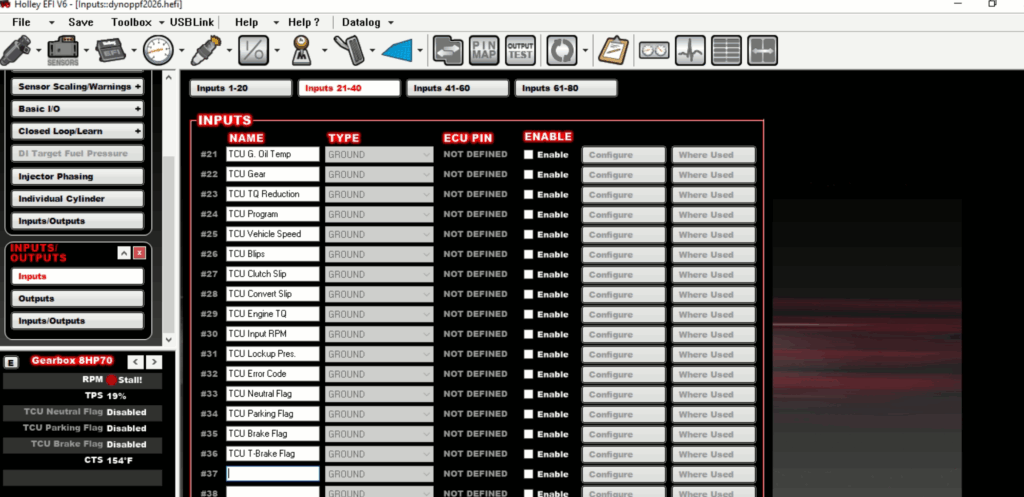
2.2 enable all pamameters:

2.3 switch all type to CAN GROUND (important)
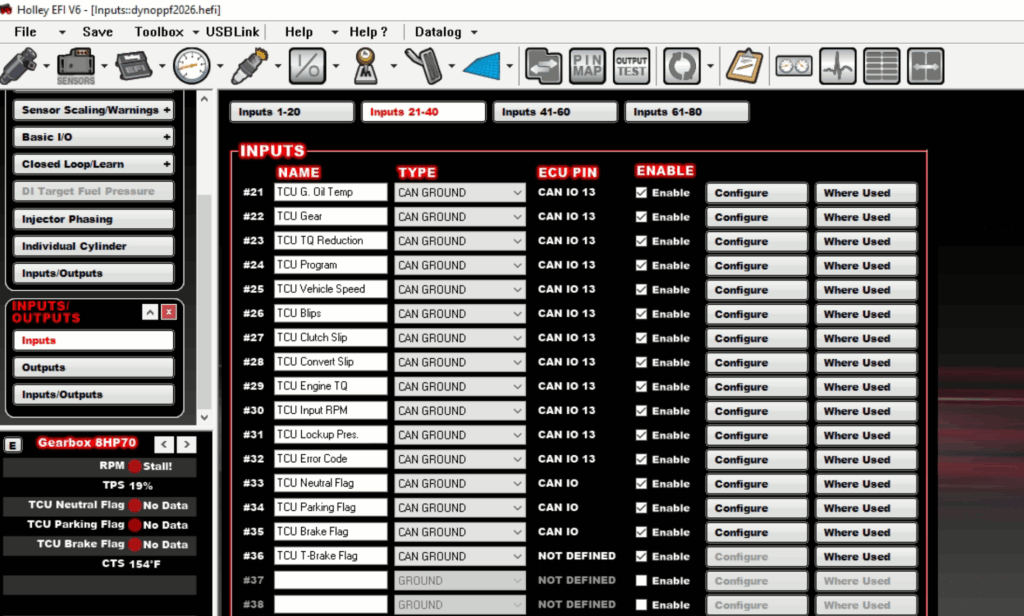
2.4 switch type to CAN (important)

3. Configuration of can inputs 1824 1-8:
3.1 TCU G. Oil Temp


3.2 TCU Gear
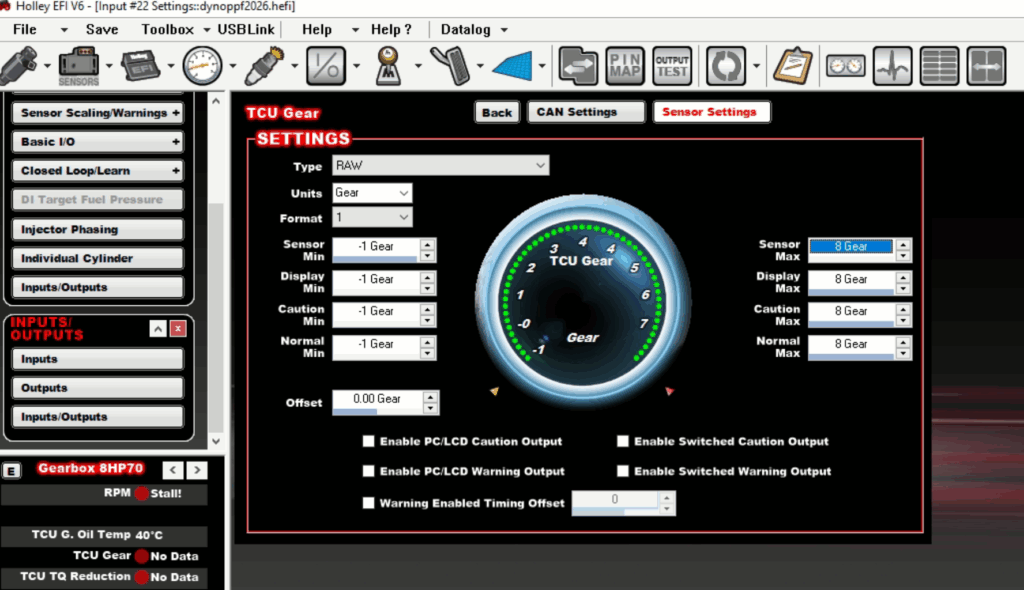

3.3 TCU TQ Reduction
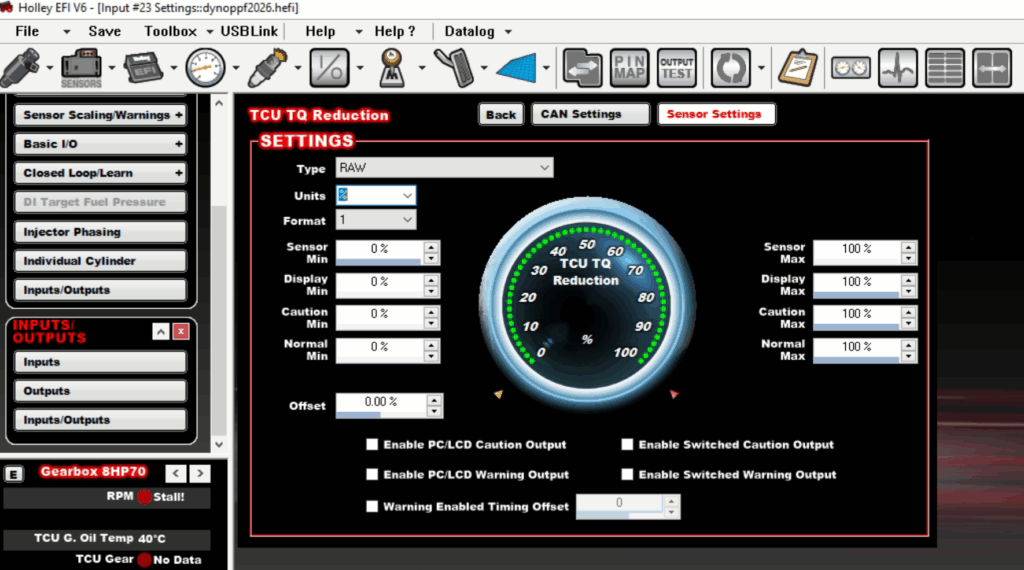

3.4 TCU Program
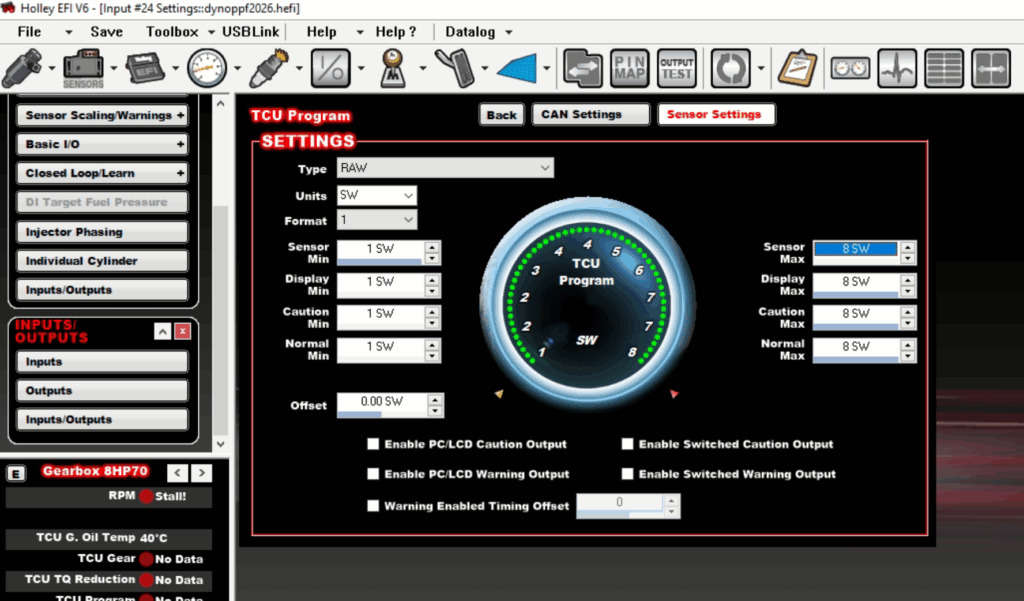
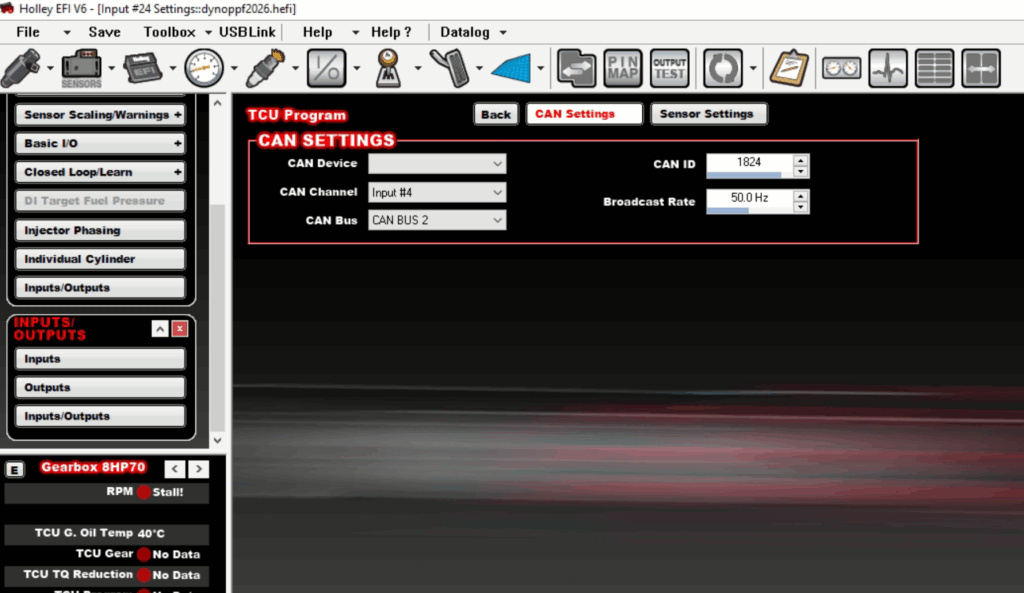
3.5 TCU Vehicle Speed


3.6TCU Blips
3.7 TCU Clutch Slip
3.8 TCU Convert Slip


4.Configuration of can inputs 1825 1-8:
4.1 TCU Engine TQ


4.2 TCU Input RPM
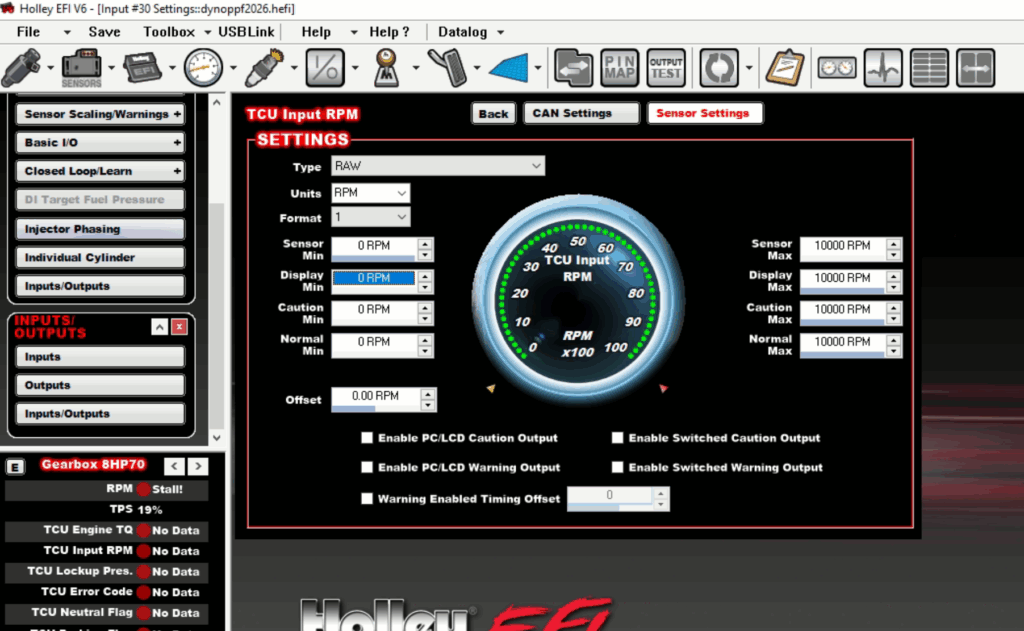

4.3 TCU Lockup Pres.


4.4 TCU Error Code


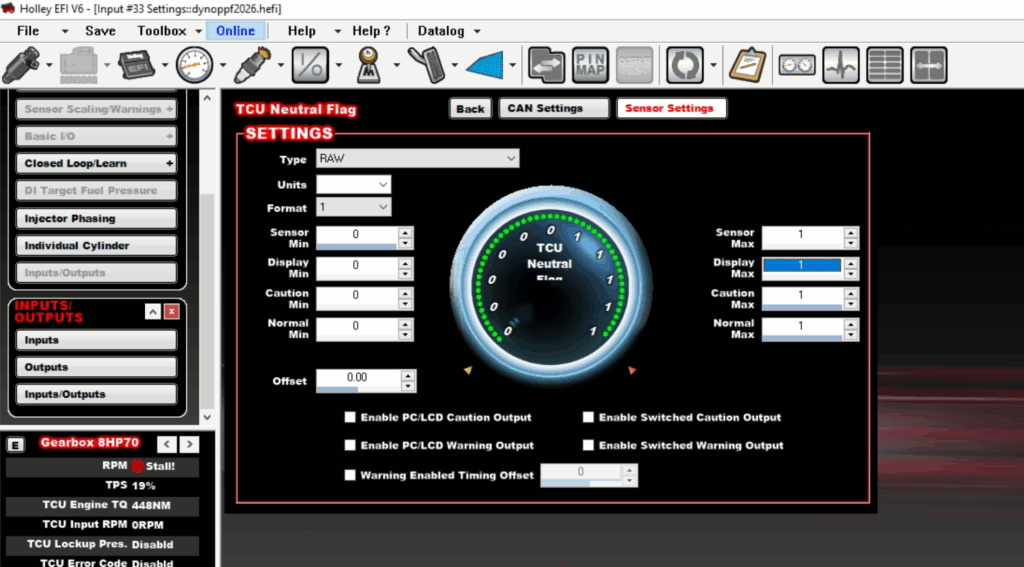
4.5 TCU Neutral Flag
4.6 TCU Parking Flag

4.7 TCU Brake Flag
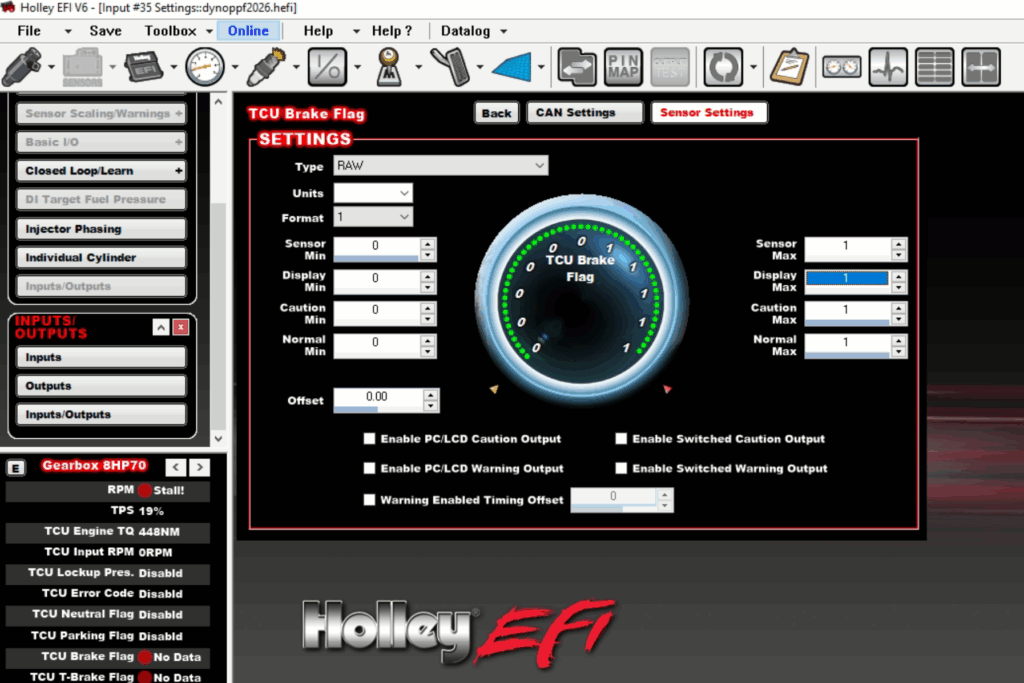

4.8 TCU T-Brake Flag
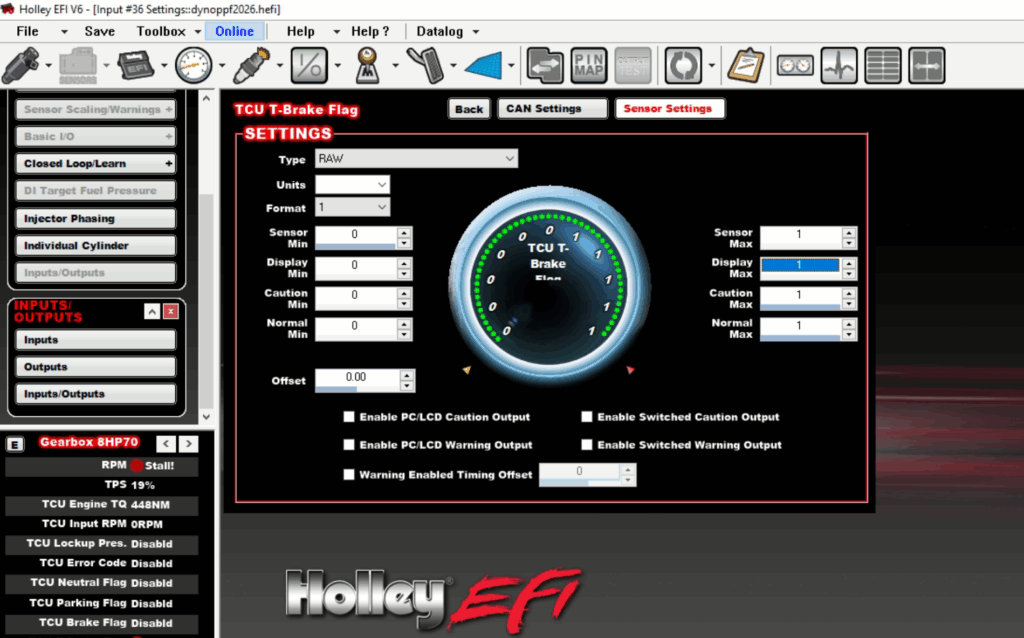
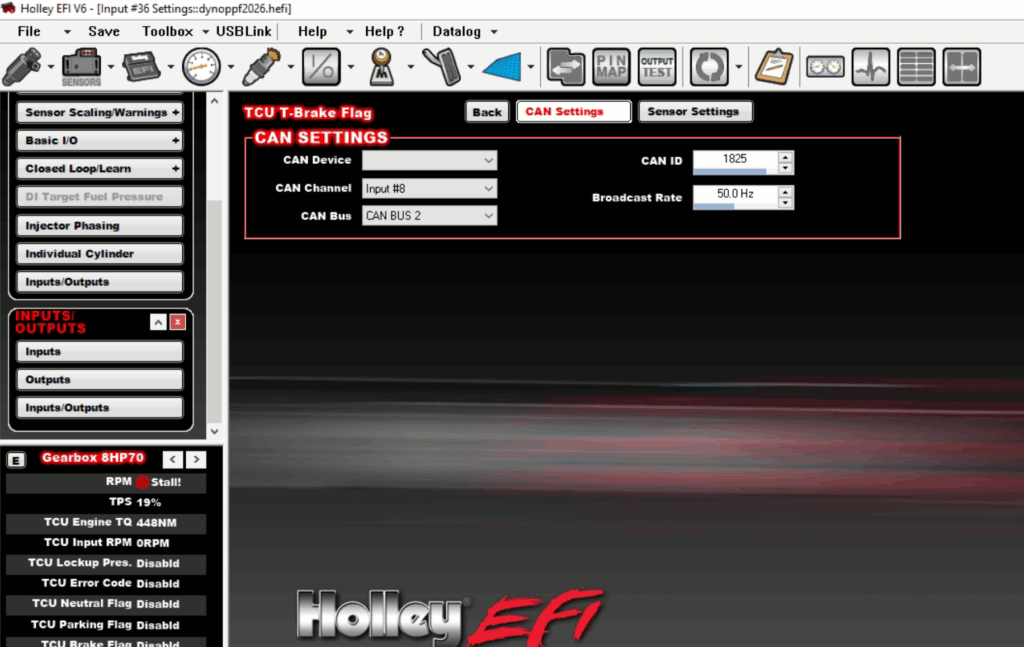
5. configuration of TQ reduction:
5.1 import “advanced”:


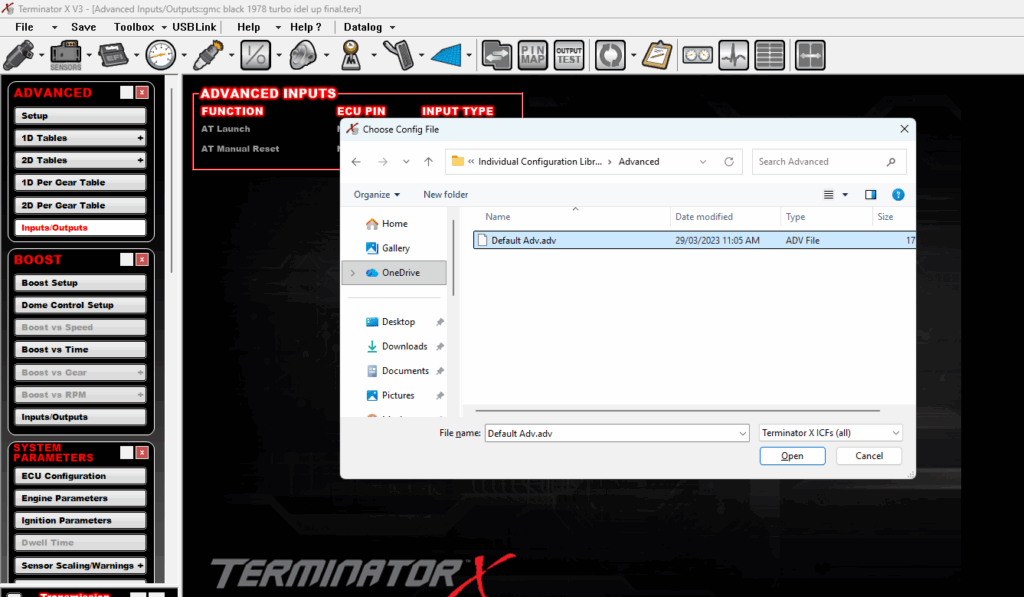
5.2 Make and activate ignition correction map:
Table Type: Timing Offset
X Axis: TQ Reduction TCU
Y Axis: MAP
this is exaple ignition correction table.

6. Send settings to holley and recycle ignition.